HD Camera for Android

4.2



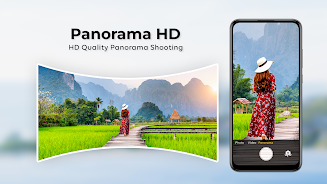
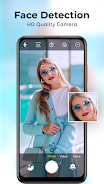
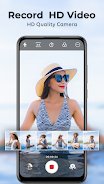
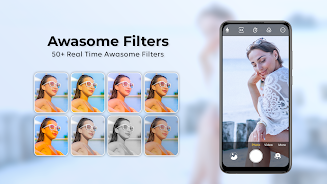
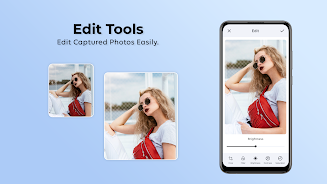
HD Camera for Android is a mobile photography app that brings DSLR-style controls to your phone. Designed for users who want more control than a stock camera offers, this app combines manual settings, support for high-resolution video and RAW stills, and a collection of filters and editing tools. You can switch between shooting modes, tweak exposure and white balance, and capture panoramas or 4K time-lapse clips without needing extra hardware. It’s aimed at hobbyists and casual creators who want a familiar camera workflow in a single, free application.
The experience of using HD Camera for Android centers on direct interaction with photographic controls rather than automated point-and-shoot behavior. You choose between camera, video and panorama modes, adjust focus (including macro), set exposure and white balance presets, and trigger shots with a configurable timer or the volume keys. Recording options include high-resolution video output, while stills can be saved in RAW when your device supports it. The interface encourages hands-on adjustments so you can shape each frame instead of relying solely on automatic processing.
Manual controls: The app exposes fundamental DSLR-like settings such as exposure compensation, white balance presets (incandescent, fluorescent, daylight, cloudy and auto), and focus adjustments to let you refine how each photo is captured.
High-resolution capture: HD Camera for Android supports 4K video recording and 4K time-lapse sequences on capable devices, and offers RAW photo capture for greater flexibility in post-processing.
Portrait and blur effects: You can create images with DSLR-style background blur and use the front-facing camera with zoom to take higher-quality selfies enhanced by an array of one hundred-plus filters.
Special shooting modes: Panorama and smart panorama shooting simplify wide views, while slow shutter options expand long-exposure possibilities for creative effects.
Convenience tools: Built-in features such as a countdown timer, widescreen photo options, configurable volume-key shutter control, location tagging, and simple editing tools like crop and collage help you manage and polish images without leaving the app.
The app aims for a photographic, utilitarian presentation rather than flashy visuals. Image output leans toward clarity and detail, especially when using 4K and RAW modes, and the included filters let you shift moods quickly from natural to stylized. Panorama stitching and widescreen options provide cinematic framing, while the blur and macro focus modes let close-up shots feel more tactile. Overall the app delivers a straightforward camera-like atmosphere that prioritizes control over gimmickry.
If you want a compact way to get manual camera features on an Android phone, HD Camera for Android offers a capable set of tools—manual controls, high-resolution capture, creative modes and basic editing—without extra cost. Keep in mind that some functions require compatible hardware and the app requests permissions for location tagging and sharing via contacts when you use those features.






















