7Zip

4.3



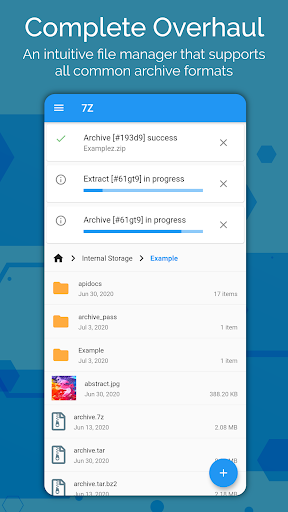
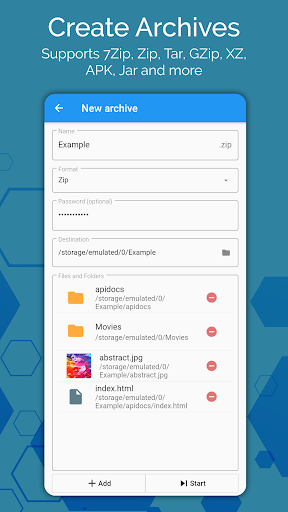
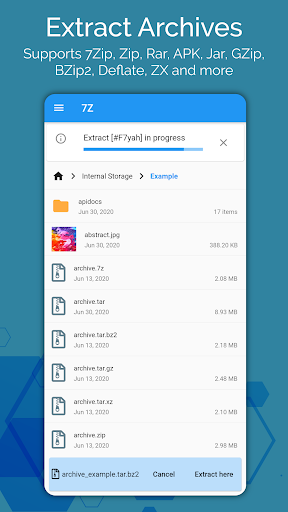
7Zip is a compact archive manager for Android that lets you open, create and protect compressed files directly on your device. With 7Zip you can extract and browse common formats such as ZIP, RAR, 7z, TAR, gzip, JAR and APK, create high-compression archives like 7Zip or tar, and add password encryption to safeguard sensitive documents. The app includes an easy file manager with move, copy and delete actions, background task execution so long operations continue when the app is closed, and file associations to open archives from other apps—making it simple to free space, bundle files for sharing, or secure private data.
⭐ Supports all major archive types including ZIP, RAR, 7Zip (7z), TAR, gzip, JAR and APK for both extraction and creation.
⭐ Create and open password-protected ZIP and 7z archives to keep files encrypted and private.
⭐ High-compression options available (7z, TAR) to reduce file sizes and combine multiple files into a single archive.
⭐ Background execution lets compressing or extracting run even when the app is closed, with job progress and history tracking.
⭐ Built-in file manager with standard file operations and file associations to open archives directly from other apps.
✅ Small, focused utility that covers the most commonly used archive formats with straightforward controls.
✅ Encryption support helps protect sensitive files by placing them into password-protected archives.
✅ Background tasks and job history let you continue working while large operations run without interruption.
✅ Combining and compressing files saves storage space and simplifies sharing multiple items as a single archive.
❎ Encrypted archives require the correct password to open; the app cannot bypass or recover lost passwords.
❎ 7Zip is not a password recovery or cracking tool, so protected files remain inaccessible without credentials.






















