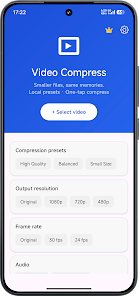
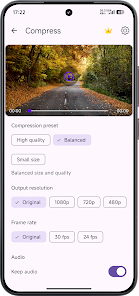
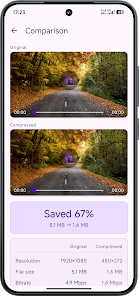
VideoCompress is an Android tool to reduce video file size while keeping acceptable quality. VideoCompress provides adjustable controls for resolution, bitrate and output format, and lets you preview results before saving to your device.
Key features of VideoCompress
- With VideoCompress you can compress videos by choosing resolution, bitrate or a quality preset to control file size.
- Format conversion to common outputs such as MP4, MOV and AVI for wider playback compatibility.
- Batch processing to queue multiple files for sequential compression and save time.
- Trim and preview clips to check results before saving and avoid overwriting original files unintentionally.
- Save and share compressed files to local storage or share them via messaging and cloud apps.
Usage tips
- Lower resolution or bitrate for greater size reduction and keep originals as backups when needed.
- Use batch mode for multiple files to streamline repetitive tasks.
- Preview output at different settings to find a balance between file size and acceptable quality.