My Resume Maker

4


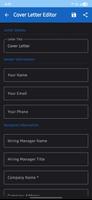
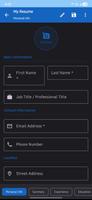
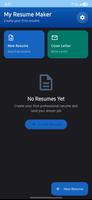
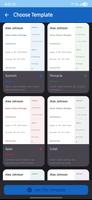
My Resume Maker is a compact, user-focused resume and CV builder that helps job seekers, recent graduates and experienced professionals assemble polished, ATS-friendly documents quickly and without fuss. My Resume Maker guides you through filling personal details, work history, education and skills with clear prompts and inline examples so you spend less time wrestling with formatting and more time tailoring content for specific roles. The app is designed to work well on phones and tablets, letting you create, edit and export quality resumes and matching cover letters whether you are online or offline.
The core workflow centers on step-by-step creation: tap to enter or edit fields, follow contextual hints for each section, and preview changes in a live layout. Templates are built for clarity and recruiter parsing, with options to include or omit a photo and to add a digital signature if required. Export is handled as high-resolution PDF files that preserve spacing and fonts, and you can share or save those PDFs through the standard Android share sheet. A built-in cover letter editor mirrors the resume style so you can produce matched documents quickly, and the app saves multiple profiles so you can maintain a selection of role-specific CVs.
Using the app relies on familiar mobile controls: tap to focus a field, use the plus button to insert new items such as job entries or certifications, and long-press or drag to reorder sections when you want to emphasize a particular experience. Inline validation highlights possible issues—such as inconsistent date formatting or missing contact details—so you can correct them before export. The preview mode shows the final page breaks and alignment, and simple swipe gestures let you switch between profiles or templates without interrupting your editing flow.
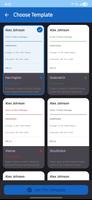
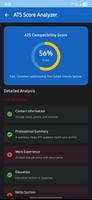
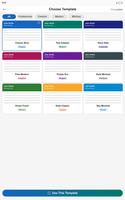
My Resume Maker provides a set of modern templates with adjustable fonts, heading sizes and accent colors to match different industries while keeping documents ATS-friendly. Templates focus on readable typography, balanced white space and clear section headings so applicant tracking systems can parse key fields reliably. You can customize section order, add optional sections such as publications or volunteer work, and fine-tune bullets and dates. While templates emphasize professionalism and compatibility, there are enough customization controls to give your resume a personal tone without compromising recruiter readability.
The app encourages a progression-based approach to application preparation: build a master profile, then duplicate it to create targeted versions for different job categories. Each saved profile acts like a checkpoint so you can try different summaries, emphasis and keyword sets, compare versions in preview, and export the one that performs best for a particular vacancy. This reuse model reduces repetitive work and raises the practical replay value—updating a profile for a new role takes minutes rather than starting from scratch. The app also stores recent exports locally so you can re-send or reformat past resumes without recreating content.
Designed for mobile use, the app supports offline editing and exporting, which is useful when preparing applications on commutes or in locations without reliable connectivity. Font sizes and contrast choices are selected for legibility, and form fields support screen readers and standard Android accessibility features to help users who rely on assistive technologies. The app is lightweight and optimized to conserve battery and storage, so it runs smoothly on a wide range of devices while maintaining quick export times for PDF generation.
No mobile resume app covers every design need: template variety is intentionally focused on professional, ATS-friendly formats and may not suit users seeking highly artistic or unconventional layouts. Advanced page-layout control remains more constrained than a dedicated desktop design tool, and users requiring intricate typography control or bespoke multi-column designs may prefer to finalize those documents on a computer. My Resume Maker emphasizes reliable formatting and recruiter compatibility over highly experimental styles, making it a practical tool for most job-seekers but not a full desktop publishing replacement.






















