DeepRestore

4.5






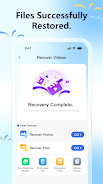
DeepRestore is a lightweight, privacy-focused recovery utility that helps you scan an Android device for deleted photos, videos and common document types that may still be recoverable. DeepRestore runs entirely on your phone, performing all scanning and file reconstruction locally without uploading, sharing or transferring your data to remote servers. If you have accidentally deleted important memories, receipts or work files, the app offers a simple on-device workflow that gives you direct control over which items to restore while keeping sensitive content on the device throughout the process.
The app includes an adaptable scan engine that supports both quick scans and deeper signature-based searches for files that are harder to locate. DeepRestore previews recoverable items with thumbnails and basic metadata so you can inspect photos, video clips and documents before restoring. The interface supports selective and batch restores, letting you pick single items or groups for recovery and choose a destination folder on internal storage or an accessible SD card. Progress indicators, estimated time remaining and the ability to pause and resume a scan make it easier to manage longer recoveries on older or low-battery devices.
Getting started requires a few standard permissions so the app can read device storage; on modern Android builds this is handled through the platform permission dialogs. Once permissions are granted you control scanning with simple, clearly labeled options: Quick Scan for a fast pass over recently deleted content and Deep Scan for a more thorough pass that looks for file signatures. Use on-screen toggles and filters to restrict results by file type, date range or size. Preview thumbnail pages allow swipe navigation and tap-to-select controls, while a single Restore action writes selected items back to a user-chosen folder. Notifications keep you informed when a background scan completes so you can continue using your device without watching the app constantly.
Recovery success depends on how much the device has been written to since the data was deleted; files that have been overwritten cannot be restored. For best results, stop writing new files to the device, avoid installing large updates and, when feasible, run DeepScan while your phone is charging. The app reports estimated recovery probabilities for items when available, and includes a visible progress bar during both scanning and restoration stages so you can see how the task progresses. Because all operations are local, there are no cloud backups or remote retrieval options—this design favors privacy but does limit recovery options to what remains on the device itself.
The user interface is designed for clarity and easy navigation: readable typography, clearly labeled buttons and a consistent color palette to reduce visual clutter. Recovered files are shown with contextual information such as original filename, estimated deletion date and file size to help you decide what to keep. Accessibility features include adjustable text scaling, high-contrast display support and straightforward touch targets for users who prefer larger controls. The app is optimized to run offline so you can perform recovery tasks even without network access and avoid exposing sensitive data to third-party services.
DeepRestore is built to work with a wide range of Android devices and common media formats (images, video containers and standard document types). It does not require an online account or cloud access, and it never shares recovered content automatically. Note that outcomes vary by device model, filesystem and the length of time since deletion; the app provides clear warnings about these limitations before you begin a deep scan. For routine data protection, consider combining local recovery tools with regular backups and careful storage habits to reduce the need for emergency restoration.






















