Home Design AI - Room Planner

4.3



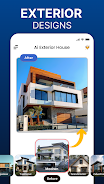
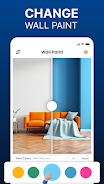
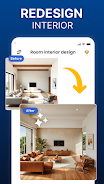

Home Design AI - Room Planner is an AI-driven design tool that helps you visualize interiors, exteriors and outdoor spaces from a single photo. Upload a room, garden or façade image and the app suggests new layouts, furniture swaps, color palettes and planting ideas so you can preview changes before committing to purchases or contractors. The interface is designed for homeowners, renters and professionals who need fast, visual decision-making: save multiple alternatives, label versions and share realistic concept images with family or clients.
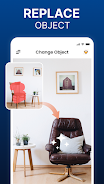
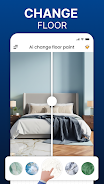
Home Design AI - Room Planner generates photorealistic makeovers tailored to your space by identifying key objects and surfaces in a photo. Use the Style Match tool to bring an inspirational image into your project and translate its color, texture and furniture cues to your room. The selective edit tools make it simple to replace single items, change finishes or try different flooring options without rebuilding a scene. Exterior and landscape previews let you rethink siding, patios and planting schemes to improve curb appeal, while garden planning functions help you arrange furniture, paths and beds for both function and aesthetics.
Begin by taking or importing a single photo of the space you want to redesign. The app analyzes the scene and suggests one or more redesign concepts you can browse. Use intuitive touch controls to refine results: tap to replace an object, drag to reposition a suggested piece, pinch to zoom and swipe to cycle through style variations. Masking and selective brushes let you keep or remove specific items, and color pickers provide quick access to paint and upholstery options. All controls are designed for mobile use and deliver immediate visual feedback so you can iterate quickly.
Projects are organized into saved versions so you can track progress as concepts evolve from rough ideas to more detailed proposals. Create multiple named copies of a design to compare alternate layouts side by side, build mood boards from exported images and reuse favorite palettes or furniture groupings across projects. Customization extends beyond furniture swaps: adjust lighting intensity, material textures and relative scale of suggested pieces to align proposals with realistic proportions and personal taste. These features support an intentional progression from exploration to a presentable plan you can share with tradespeople or buyers.
The app emphasizes photorealistic visualization so proposed changes read clearly in context. Renders consider light and shadow to help you judge contrast, surface reflectivity and material relationships. Preview options include different times of day or simulated ambient light to test finishes under varied conditions. While designs are conceptual, high-quality previews make it easier to evaluate color choices, furniture placement and landscaping at a glance.
Saved designs can be exported as images and shared through standard apps or messaging tools, enabling fast feedback from family or clients. The app stores projects locally so you can continue working offline with previously saved files; when connectivity returns, you can share or archive completed concepts. Accessibility options focus on clear labels, scalable interface elements and color contrast considerations to improve usability for a wide range of users.
Home Design AI - Room Planner is a practical idea-generator rather than a final specification tool. Output quality depends on the quality of the input photo: good lighting and straight-on perspectives produce the most convincing results. Complex scenes with many overlapping objects may require manual masking and adjustment. Visualizations should be used as guides for selection and planning; confirm measurements, product availability and installation details with suppliers or professionals before purchasing. With that in mind, the app is an effective way to reduce uncertainty, explore many directions quickly and communicate design intent more clearly than sketches alone.






















